Modern businesses need a distinct brand voice, especially when using text-to-video editing. A consistent brand voice helps you tell your story more effectively. It makes it easier for your audience to understand your message and engage with your content. A consistent AI-cloned voice for a faceless YouTube channel helps build familiarity with your audience and ultimately strengthens brand recognition.
The correct AI voiceover tools can turn a written screenplay into natural-sounding narration in minutes. Some platforms can even clone a voice, change mood and tempo, support various languages and plug voice synthesis straight into a video production workflow.
AI voiceovers particularly valuable for faceless YouTube automation.
The correct AI voice generator may save you time on production and help you publish consistently, whether you are launching a new channel, scaling an existing business channel, or making videos without being on camera.
But which tool should you choose?
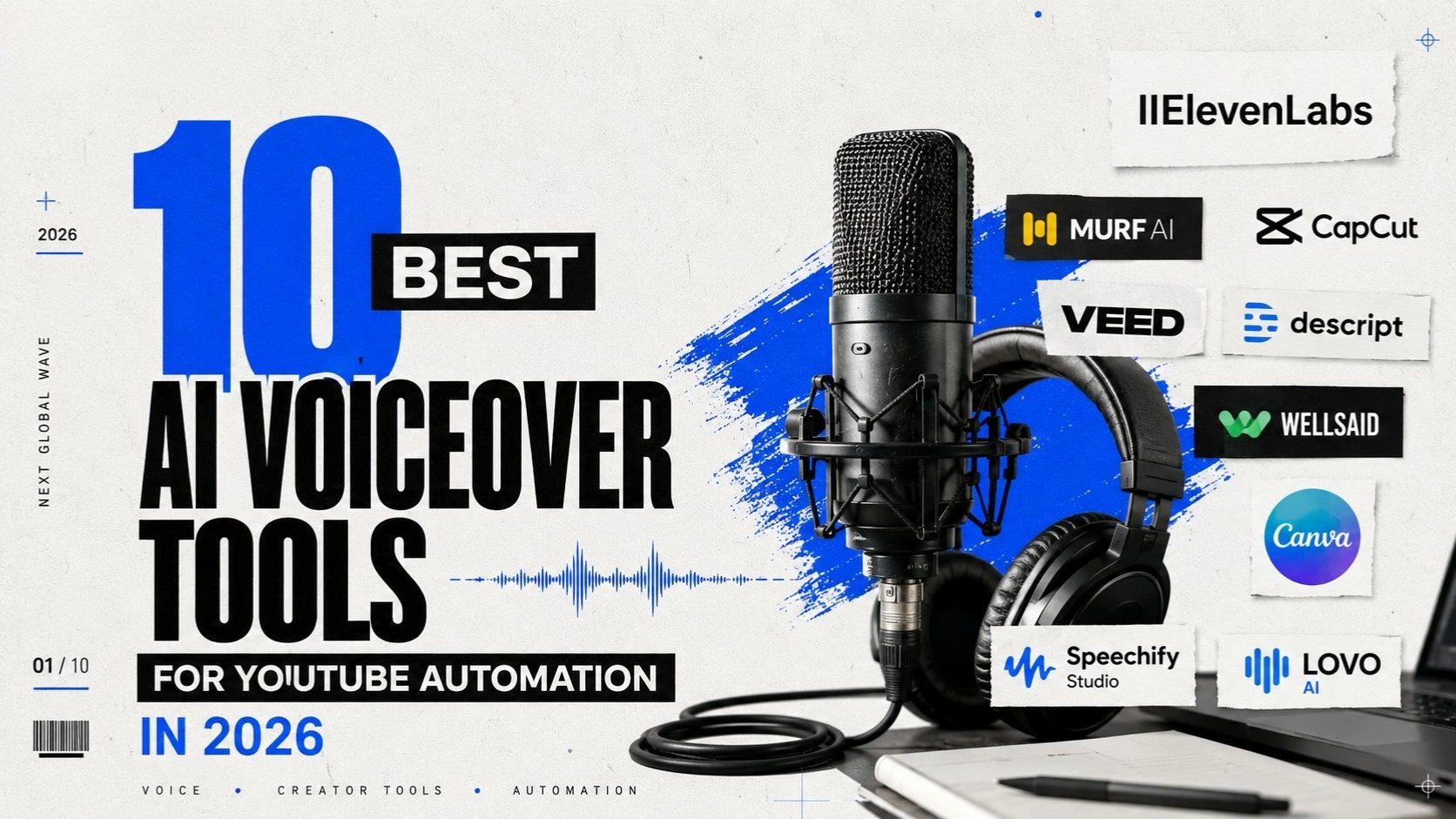
In this article, we will review the 10 best AI voiceover tools for YouTube automation in 2026, their features, user experience, real-life use cases, pros and cons, and how they perform in creating faceless content.
What Is an AI Voiceover?
An AI voiceover uses artificial intelligence and text-to-speech technology to convert written text into spoken audio.
Instead of hiring a voice actor or recording your own narration, you can paste a script into an AI voice generator, select a voice, adjust its delivery, and generate the audio.
Modern platforms go far beyond basic text-to-speech.They can deliver AI voices that sound natural, with varied accents and languages, emotional AI voices, voice cloning, changeable pace and pacing, and speech styles for narrative, education, marketing, and business content. Some systems also include the option to generate the voiceover directly in a video editing environment.
For example, ElevenLabs supports expressive speech, voice design, voice cloning, and multiple languages, while CapCut combines AI voice generation with video editing capabilities.
For YouTube automation, this means the voiceover no longer has to be treated as a separate production task. It can become part of a larger workflow that takes content from a written idea to a finished video.
Why Are AI Voiceovers Essential for YouTube Automation?
YouTube automation is not just AI videos. This is about creating a repeatable content strategy that enables a channel to deliver high-quality material regularly without the owner needing to personally do every piece of production work.
Voiceover is an important part of that system.
Recording the narration manually takes time. You need a proper environment, a microphone, recording software, multiple takes, and audio editing.
AI voiceover makes this process easy. Create a script, select a voice and instantly turn text into a voiceover. This can be especially useful if you are creating content regularly and don’t want recording to become a bottleneck.
AI Voiceover tools make faceless YouTube Video Production possible
The creator of Faceless YouTube channels does not depend on a camera. For YouTube automation only AI narration is required to generate explainer videos, educational content, business videos, documentary-style content, product videos, tutorials, industry news, and storytelling.
This allows business owners another method to establish a YouTube presence without being the face of every video.
AI Voiceover tools make content production scalable
There is no problem publishing four videos a month manually. Another is to do 20 or 30 videos on multiple channels.
At that scale, traditional recording can very quickly become a bottleneck. By using AI voiceovers, production teams can churn out narration much quicker, helping to create a structured YouTube content pipeline.
AI Voiceover tools support a consistent brand voice
Businesses need consistency. Using a different narrator for every video can make a channel feel disconnected.
AI voice technology allows creators to maintain a consistent voice style across their content. Some platforms also support voice cloning, allowing businesses to create a digital version of an authorized speaker’s voice.
Voice cloning can be useful for executives who want their content to maintain a recognizable voice without recording every single video themselves. However, businesses should always obtain appropriate permission before cloning someone’s voice.
AI Voiceover tools reduce production costs
Hiring professional voice actors for every video can become expensive, particularly when publishing frequently.
AI voice generators offer a more scalable alternative. However, organizations should carefully examine licensing restrictions before integrating free-generated audio in monetized or commercial YouTube material. A tool being free does not automatically mean its output can be used commercially.
For example, ElevenLabs notes that their free plan is designed for personal, non-commercial use, whereas subscription plans allow commercial usage rights.
10 Best AI Voiceover Tools for YouTube Automation in 2026
Not every AI voice generator is designed for the same purpose. Some prioritize realism, others provide complete video production workflows, while some are better suited to business teams.
Here’s a closer look at 10 tools worth considering.
1. ElevenLabs
Best for: Realistic AI voices and voice cloning
ElevenLabs is one of the strongest options for creators who prioritize natural-sounding narration.
Its text-to-speech technology provides nuanced pacing, intonation, and emotional delivery. The platform also offers voice design and voice cloning, making it useful for creators who want a consistent voice across their YouTube videos.
The free plan provides limited monthly usage, which makes it useful for testing the platform. However, businesses planning to monetize their content should review the commercial licensing requirements before publishing.
Our take: ElevenLabs is particularly impressive when voice quality is the priority. The narration can feel more natural and expressive than basic text-to-speech, which makes it a strong option for long-form YouTube videos, storytelling, documentaries, and business explainers. Voice cloning and multilingual capabilities add even more flexibility. The main drawback is that the free access is limited, and businesses using the platform commercially need to consider the appropriate paid plan. For high-volume YouTube automation, cost can also become an important factor.
User experience: The workflow is straightforward. You provide the script, select a voice, generate the narration, and then move the audio into your video production workflow. It works particularly well for users who already have a separate video editing process.
Use cases: ElevenLabs is a strong fit for faceless YouTube channels, business explainers, documentaries, educational videos, storytelling, long-form narration, and authorized voice cloning.
Best for: Business owners and creators who want premium-sounding narration for faceless YouTube videos.
2. Murf AI
Best for: Professional business voiceovers
Murf AI is designed around professional voice production and is particularly relevant to businesses creating marketing, training, educational, and explainer content.
Its studio-style workflow makes it easier to create and edit voiceovers without relying entirely on separate audio software.
Our take: Murf AI is a good choice when you want your AI narration to feel professional and business-ready rather than simply automated. Its voice selection and customization options make it useful for polished corporate and educational content. The trade-off is that the free access is more limited than some users may expect, while advanced features and larger-scale production require paid plans. For businesses producing a high volume of content, the subscription cost should be considered.
User experience: Murf provides a studio-style environment that makes creating and refining narration relatively accessible, even if you don’t have advanced audio-production experience.
Use cases: It works well for corporate YouTube videos, training content, product explainers, educational videos, marketing content, and business presentations.
Best for: Businesses that want polished AI narration rather than basic text-to-speech.
3. CapCut
Best for: AI voiceovers plus video editing
CapCut is particularly useful for YouTube automation because voice generation and video editing can be handled within the same workflow.
Its AI voice tools allow creators to turn text into speech, select different voices, and adjust characteristics such as speed, pitch, tone, and emotion. CapCut also supports multilingual voice generation and a broad range of voice styles.
That means you can generate narration and immediately place it into your video timeline.
Our take: CapCut’s biggest advantage is convenience. If you don’t want to generate an AI voiceover in one platform and then move it to another application for editing, CapCut brings much of the process together. This makes it especially attractive to beginners and small businesses. However, voice quality can vary depending on the selected voice, and creators working on more sophisticated production workflows may eventually need additional tools.
User experience: The integrated workflow makes CapCut relatively easy to use. You can generate the voiceover, edit the video, add captions, and work on other production elements without constantly switching platforms.
Use cases: CapCut is useful for faceless YouTube videos, YouTube Shorts, social media content, business explainers, and quick educational videos.
Best for: Beginners and businesses that want an all-in-one video creation workflow.
4. VEED
Best for: Voiceovers, editing, and no-sign-up testing
VEED is particularly relevant to people searching for AI voiceovers with no sign up required.
Its AI voice generator allows users to type or paste a script and preview different voices before signing up. VEED says its tool can generate AI voiceovers in more than 50 languages and supports voice cloning in more than 25 languages.
It also combines voice generation with video editing, captions, graphics, and other production features.
Our take: VEED is a convenient choice for someone who wants to experiment with AI voiceovers without immediately committing to a complicated setup. Being able to preview voices before signing up makes the initial experience accessible, while its browser-based editor means you can continue working on the video in the same environment. The limitations become more noticeable when you need advanced features, larger exports, or more extensive commercial production, where a paid plan may be necessary.
User experience: VEED’s browser-based workflow is simple. You can enter your text, choose a voice, generate narration, and continue editing the video without installing complex software.
Use cases: It works well for faceless YouTube videos, marketing content, educational videos, social media content, and multilingual video production.
Best for: Users looking for a free AI voice generator with easy access and an integrated video workflow.
5. Descript
Best for: Voiceover-based video editing
Descript takes a different approach to video production. Instead of treating video editing as a traditional timeline-only process, it allows users to edit content through text.
Its AI voice features can generate audio from typed text, create voice clones, and help fix mistakes or add narration to videos.
This can be useful for YouTube automation teams that want to make quick changes to narration without completely re-recording a video.
Our take: Descript is particularly useful if your videos depend heavily on narration and scripts. The text-based editing experience can save time because you can work with the written content rather than repeatedly navigating a traditional video timeline. The free plan has limitations, however, and the platform is better suited to structured video and narration workflows than someone who only wants a simple AI voice generator.
User experience: The text-based approach makes Descript stand out. If you need to change a line in your narration, you can work from the script-like interface instead of treating the audio as a completely separate production element.
Use cases: Descript is well suited to narrated YouTube videos, podcasts, educational content, interviews, and script-heavy videos.
Best for: Content teams producing narrated YouTube videos, podcasts, and educational content.
6. WellSaid
Best for: Professional and brand-focused narration
WellSaid focuses heavily on realistic, professional AI voices for business teams.
Its platform provides natural-sounding voices modeled from licensed recordings by professional voice actors. It also includes controls for pronunciation, pacing, tone, and brand-specific terminology.
For businesses, this is particularly valuable when consistency and brand standards matter.
Our take: WellSaid is more focused on professional business use than casual experimentation. That is a strength for brands that care about pronunciation, terminology, voice consistency, and quality control. The downside is that it may feel more advanced or expensive than necessary for a small creator who simply needs occasional narration. For businesses with established content operations, though, its professional orientation can be valuable.
User experience: The platform is designed around business workflows, so it is particularly useful when multiple people need to work with consistent voice and brand requirements.
Use cases: WellSaid can work for corporate videos, training content, product education, brand videos, and professional YouTube channels.
Best for: Brands, executives, and professional content teams that need consistent voice quality.
7. LOVO AI
Best for: Creative voiceovers and content production
LOVO AI is another option for creators who need a wide range of AI voices and styles.
It can be useful for YouTube narration, marketing videos, educational content, and other forms of faceless content creation.
Its appeal comes from combining voice generation with creative production capabilities.
Our take: LOVO AI is worth considering when you need more variety in the way your content sounds. Its different voice styles and tones can be useful for storytelling, marketing, and creative videos where a plain, neutral narration may not be enough. However, free access is limited, and the quality can vary depending on which voice you select. Users producing professional content should test several voices before settling on one for an entire channel.
User experience: LOVO AI provides a creative environment for experimenting with different voice styles and narration approaches, making it useful for creators who want to explore different personalities for their content.
Use cases: LOVO AI is suitable for storytelling, marketing videos, YouTube narration, educational content, character-driven content, and faceless videos.
Best for: Creators who need different voice styles for storytelling and marketing content.
8. Speechify Studio
Best for: Fast narration and accessible voice creation
Speechify is well known for text-to-speech technology, while Speechify Studio focuses more directly on content creation.
It can be useful for turning written scripts into narration without requiring a traditional recording setup.
Our take: Speechify Studio is appealing because it keeps the voice-generation process simple. If your main requirement is to convert written scripts into narration quickly, you don’t necessarily need a complicated production environment. The limitation is that creators looking for extensive video-production controls may find it less suitable than an all-in-one video platform. Free access is also limited, while more advanced creation features require paid plans.
User experience: The platform is relatively straightforward for users who want to take written content and turn it into spoken narration without setting up a traditional recording environment.
Use cases: It can be used for narration, educational content, YouTube videos, short-form content, and content repurposing.
Best for: Beginners and businesses that want a simple way to convert scripts into voiceovers.
9. Canva
Best for: Simple branded YouTube content
Canva is useful when your YouTube automation workflow already relies on templates, branded visuals, presentations, and simple video production.
Its AI-powered content features can help creators combine visual assets with narration and produce content without needing advanced editing software.
Our take: Canva’s biggest advantage is that it brings AI narration into a familiar design environment. If your business already uses Canva for branded graphics and visual content, adding narration to a video can feel like a natural extension of your existing workflow. However, Canva isn’t primarily a dedicated AI voice-generation platform, so users seeking the most sophisticated voice quality or advanced narration controls may prefer a specialized tool.
User experience: Canva is particularly approachable for beginners because the voiceover can be combined with templates, graphics, presentations, and other visual assets within the same environment.
Use cases: Canva is useful for business videos, educational content, presentations, social media videos, and simple faceless YouTube content.
Best for: Small businesses that want to combine AI narration with branded visuals.
10. Fliki
Best for: Turning scripts into faceless videos
Fliki is particularly relevant to YouTube automation because its workflow focuses on turning written content into video.
Instead of using a separate platform for every production stage, creators can use an AI-assisted workflow to combine scripts, narration, visuals, and video creation.
Our take: Fliki is one of the more relevant options for people specifically interested in faceless YouTube automation because it moves beyond voice generation toward script-to-video production. That can significantly reduce the number of separate steps involved in creating content. However, automated visuals still need human review, and users who want highly customized professional videos may find that they need more control than an automated workflow provides. The free plan also comes with limitations.
User experience: Fliki focuses on speed. You can start with a script, select a voice, and move toward a complete video rather than treating the voiceover as an isolated audio file.
Use cases: Fliki works well for faceless YouTube videos, educational content, marketing videos, social media videos, and script-to-video production.
Best for: Entrepreneurs and creators who want to accelerate the entire faceless video production process.
AI Voiceover Features to Look for in 2026
Choosing an AI voiceover tool based only on whether it is free can be a mistake.
For YouTube automation, you should also consider how natural the voice sounds, how well it handles emotion, whether it supports voice cloning, and how much control it gives you over pronunciation and pacing.
Natural-sounding AI voices
The voice should sound conversational rather than robotic. Poor narration can quickly cause viewers to lose interest, particularly in long-form YouTube videos.
Emotional AI voices
Modern voice generators increasingly provide emotional control. Depending on the platform, you may be able to create voices that sound excited, serious, conversational, dramatic, or calm. This can make narration more suitable for different content formats.
AI voice cloning
Voice cloning can help maintain a consistent voice across a large content library. It can be especially useful for executives and brands that want their content to maintain a recognizable voice. However, only clone voices when you have the necessary permission.
Multilingual support
If your business targets international audiences, multilingual AI voice generation can help you adapt content for different markets without recording every version manually.
Pronunciation controls
Business videos often contain technical terms, product names, acronyms, and industry-specific language. Pronunciation controls help ensure these terms are spoken correctly.
Commercial usage rights
This is one of the most important considerations for business owners.
A tool being “free” does not automatically mean you can use its output commercially. Always check the current licensing terms before using AI-generated voiceovers in monetized videos, advertisements, or client projects.
How to Use AI Voiceovers in YouTube Automation
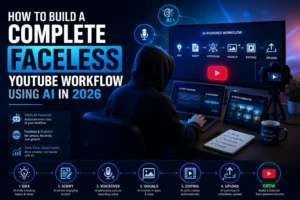
A scalable YouTube automation workflow can move from research and keyword strategy to scriptwriting, AI voiceover, video production, YouTube SEO, publishing, analytics, and optimization.
The AI voiceover is only one component.
A successful channel still needs a strong content strategy, original scripts, relevant visuals, compelling thumbnails, audience retention, and ongoing optimization.
This is why businesses should avoid thinking of AI voiceovers as a shortcut to instant YouTube success.
AI can accelerate production.
Strategy creates growth.
How NGW Helps Businesses Execute YouTube Automation
For business owners, executives, and brands, the biggest challenge with YouTube automation is rarely finding an AI voice generator.
The real challenge is execution.
You may know that YouTube could help your business generate leads, build authority, educate customers, or expand your digital presence. But you may not have the time or internal team to manage research, scripts, voiceovers, editing, SEO, publishing, and analytics.
This is where Next Global Wave (NGW) can help.
NGW provides end-to-end YouTube services covering the journey from strategy to growth. Its services include channel management, video production, YouTube SEO, faceless YouTube automation, content planning, publishing, and performance tracking.
Strategy Before Automation
NGW does not treat automation as simply producing more videos.
The process starts with understanding the audience, identifying opportunities, researching topics, and building a content strategy around business goals.
That matters because publishing dozens of videos without a clear strategy can create content without creating business value.
AI-Powered Scripting and Production
NGW can use AI-assisted workflows to accelerate research and script development while maintaining human oversight.
The goal is not to produce generic AI content.
It is to create videos that are relevant, useful, engaging, and aligned with the target audience.
NGW AI Voiceover Services
AI voiceover is an important part of NGW’s YouTube production service.
NGW can help businesses use AI voice generators, text-to-speech technology, natural-sounding AI voices, and authorized AI voice cloning as part of their video production workflow.
But generating the voiceover is only the beginning.
A common problem with AI-generated videos is that the narration and visuals don’t always match. The voiceover may be too slow while the video moves too quickly. A scene may end before the narration is finished. Captions may appear too early or too late. A pause in the narration may also create an awkward gap in the video.
NGW’s team can handle these production issues.
Our experts can adjust voiceover pacing, timing, pauses, pronunciation, scene duration, captions, transitions, and visual timing to make the final video feel synchronized and polished.
In other words, NGW doesn’t simply generate an AI voiceover.
It helps turn that voiceover into a finished YouTube video.
Professional Voiceovers and Faceless Video Production
For businesses that do not want executives or employees appearing on camera, NGW can build faceless videos using professional voiceovers, visuals, scripts, and editing.
This makes it possible to maintain a consistent publishing schedule without requiring business owners to record every video themselves.
YouTube SEO and Optimization
Creating a video is only half the job.
NGW also supports YouTube SEO through keyword research, titles, descriptions, tags, thumbnails, captions, and other optimization practices designed to improve discoverability.
Analytics and Growth Tracking
YouTube automation should be treated as an ongoing growth system.
NGW monitors channel performance and uses analytics to identify opportunities for improvement, helping businesses make decisions based on data rather than guesswork.
NGW’s own published case study highlights a local tile business channel that generated 5.7+ million views, 203,400+ watch hours, and 55,300+ subscribers, while continuing to receive approximately 40,000 monthly views after publishing stopped.
Build Your YouTube Automation System With NGW
AI tools are becoming increasingly powerful, but the real value comes from knowing how to connect them into a reliable production system.
NGW can help businesses build that system.
The process can bring together YouTube strategy, keyword research, content planning, scriptwriting, AI voiceover, voice cloning, video production, editing, voice and video synchronization, YouTube SEO, publishing, analytics, and ongoing optimization.
The goal isn’t to automate everything blindly.
The goal is to automate repetitive processes while keeping strategy, quality, creativity, and business objectives at the center.
For a busy business owner, this means you don’t need to become an expert in AI voiceover tools or spend hours trying to figure out why your narration doesn’t match your video.
You have a team that understands the tools and knows how to turn the output into polished content.